Inkline — Resumes, Refined
Overview
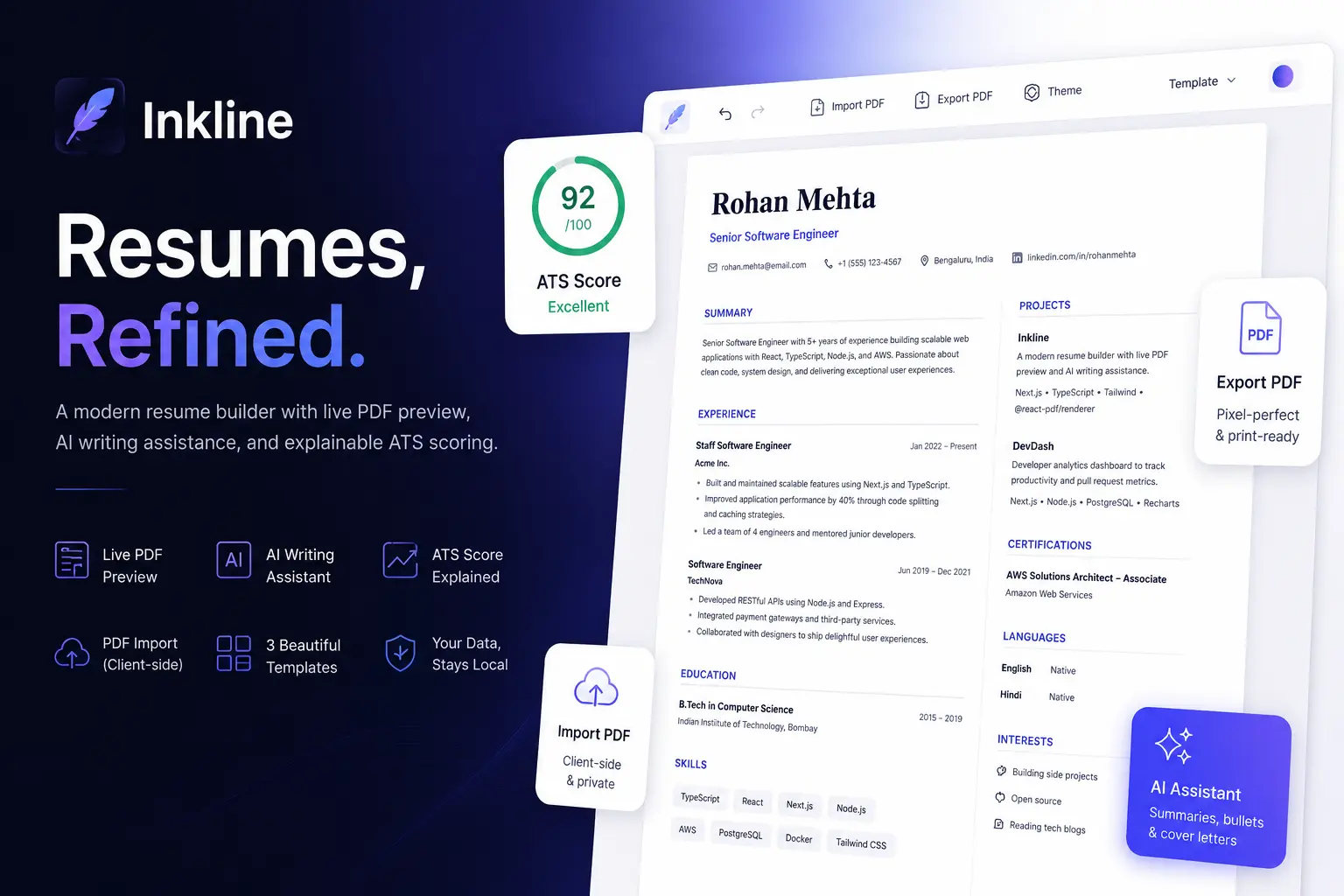
Inkline is a browser-based resume builder built to answer a narrow but tricky engineering question: how do you let someone edit a structured document, see an accurate live preview of it, and export a pixel-faithful PDF — all without a backend database, and without the preview and the export drifting apart over time?
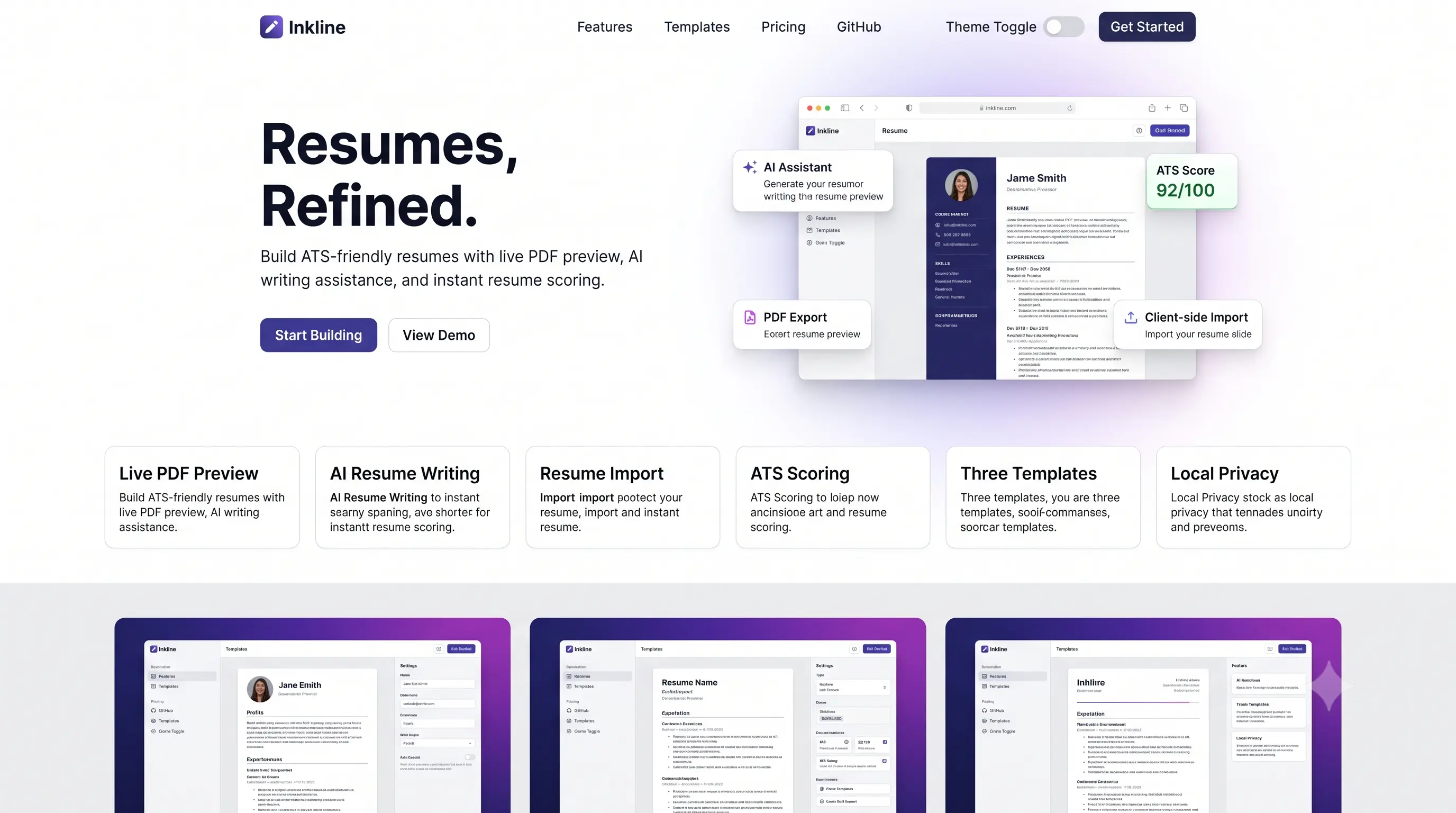
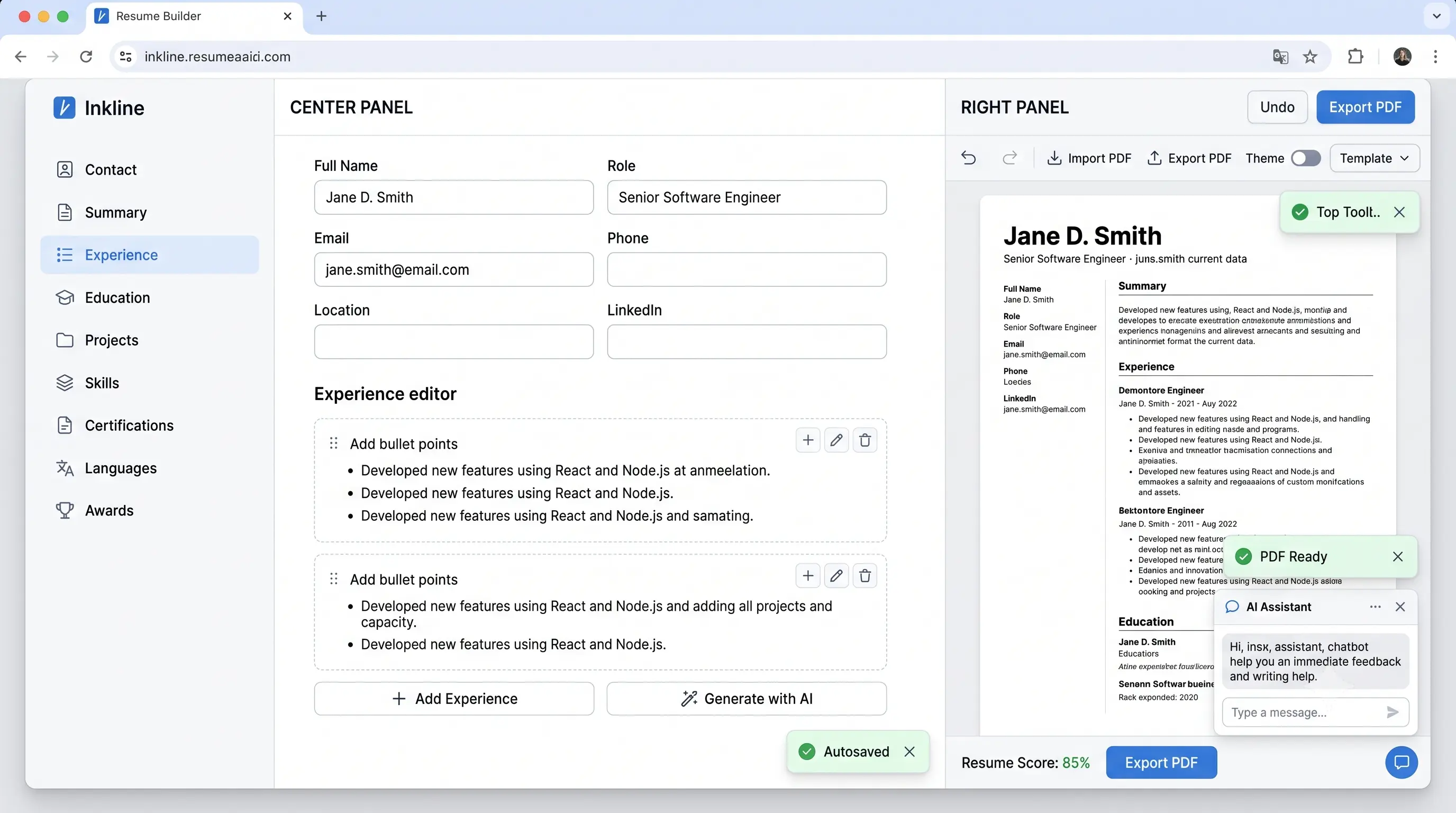
The product surface is straightforward: a structured editor for contact info, summary, experience, education, projects, skills, certifications, languages, awards, and interests; three switchable templates; drag-and-drop section reordering; an explainable ATS/resume score; an AI writing assistant for summaries, bullet points, and cover letters; and PDF import/export. The interesting engineering is underneath — a single Zod-validated data model feeding two independent render targets, a hand-rolled undo/redo middleware, and a fully client-side PDF text-extraction pipeline.
[!NOTE] Inkline stores all resume data in the browser's
localStorage. There is no account system and no server-side persistence layer. This was a deliberate constraint, not an oversight — see Architecture.
Problem
Most resume tools fall into one of two failure modes:
- Preview/export drift. The on-screen preview is a rough approximation (often literally a scaled-down screenshot or an iframe), and the exported PDF looks meaningfully different — different line breaks, different spacing, sometimes different content entirely.
- Opaque "AI" and "ATS score" features. Many builders bolt on a vague score or an AI button that produces different results every time with no explanation of why — which makes the feedback useless for someone trying to actually improve their resume.
There's a secondary problem specific to portfolio-style projects: importing an existing PDF resume usually means uploading it to a server, which is both a privacy concern and unnecessary infrastructure for a client-heavy editing tool.
Goals
- A live preview that is structurally identical to the exported PDF — same section order, same content, same layout logic — not just visually similar.
- An edit history (undo/redo) that behaves the way a text editor's does: rapid keystrokes collapse into one history step, not one step per character.
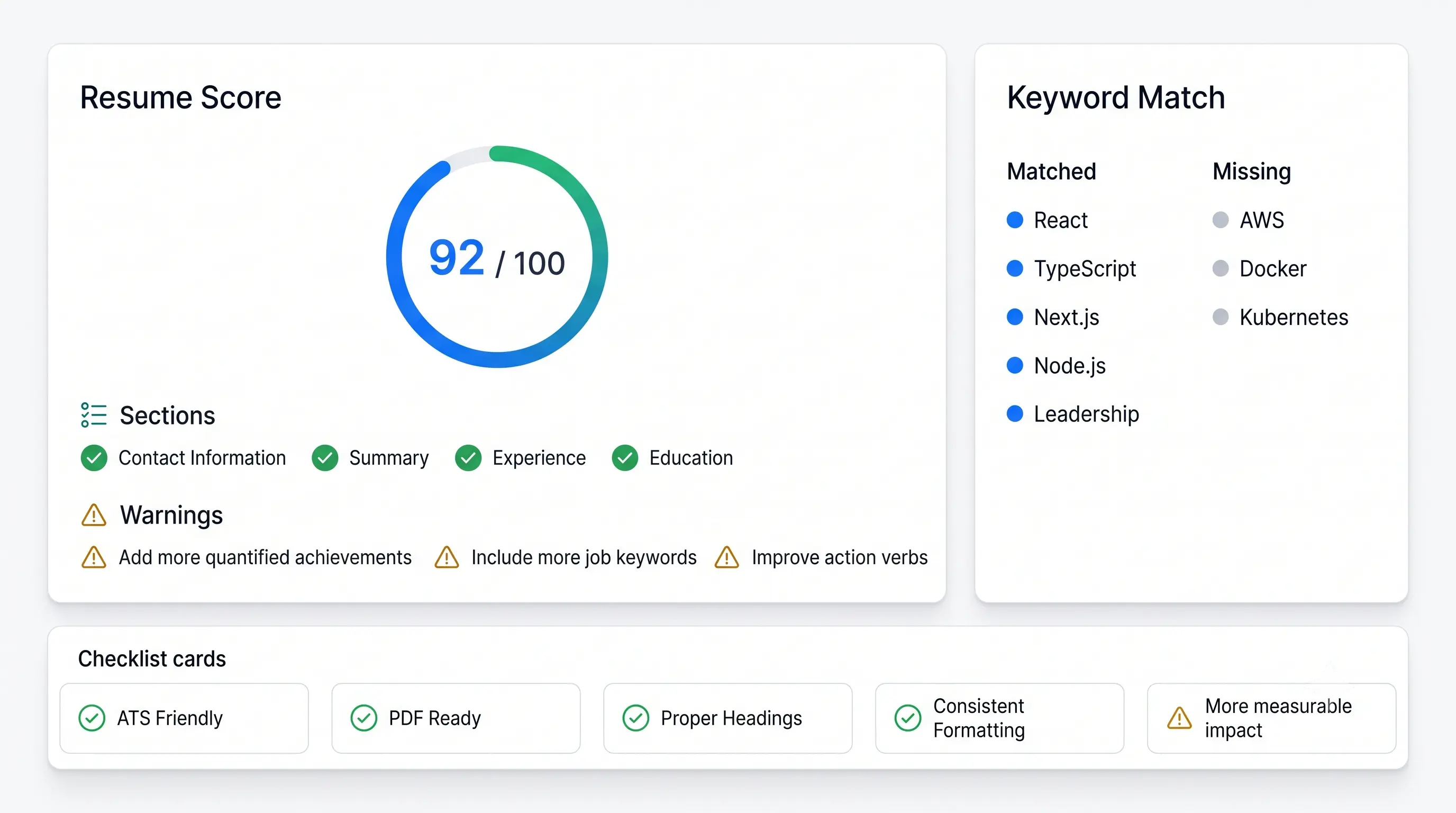
- A resume score that is a checklist with reasons, not a single unexplained number.
- AI features (summary drafting, bullet rewriting, cover letters) that work with zero configuration, and transparently upgrade if an API key is later provided.
- A PDF import pipeline that runs entirely in the browser — no resume content ever leaves the device unless the user explicitly calls an AI endpoint.
- A codebase a new engineer could onboard into in under an hour by reading the folder structure alone.
Key Features
- Structured editor for all standard resume sections, with per-section drag-and-drop reordering and visibility toggles
- Live HTML/Tailwind preview that mirrors the exported PDF's layout logic exactly
- Three switchable templates (single-column, sidebar, centered/editorial), each themeable by accent color, font family, type scale, and density
- Client-side PDF export via
@react-pdf/renderer, plus JSON and plain-text export - Client-side PDF import: upload an existing resume PDF and have its sections auto-detected and mapped into the editor
- Custom undo/redo middleware with keystroke coalescing, exposed via
⌘Z/⌘⇧Z - Command palette (
⌘K) for navigation and actions - AI-assisted summary generation, per-bullet rewriting, and cover letter drafting — backed by OpenAI when configured, or a deterministic heuristic writer when not
- Rule-based, explainable resume score with job-description keyword matching
- Dark mode, full keyboard shortcut support, autosave to
localStorage
Technology Stack
Framework & language
- Next.js 15 (App Router) — file-based routing for the marketing page, builder, and API route handlers in one project
- TypeScript in strict mode throughout
State & data
- Zustand — smaller surface area than Redux Toolkit for a single-user, client-heavy app
- Zod — schema validation and the single source of truth for the
ResumeTypeScript type viaz.infer - React Hook Form — used where a single-object form benefits from field-level validation (contact info)
Rendering
- Tailwind CSS + Radix UI primitives — the live preview
@react-pdf/renderer— the actual PDF export, dynamically imported so it never inflates the initial bundlepdfjs-dist— client-side PDF text extraction for the import pipeline, also dynamically imported
Interaction
@hello-pangea/dnd— drag-and-drop for experience/education/project lists and section reorderingcmdk— command palette- Framer Motion — landing page micro-animations
AI & scoring
- OpenAI SDK — optional; wrapped behind a single module so the provider can be swapped without touching call sites
- A custom rule-based scoring engine (no ML, no external API) for the resume score
Testing & tooling
- Vitest — unit tests for schema validation, the scoring engine, and the PDF-parsing heuristics
- Playwright — smoke tests for the landing page and builder navigation
- ESLint + Prettier (with
prettier-plugin-tailwindcss)
Architecture
The central architectural decision is that one Zod schema drives two independent render targets. Resume (defined once in src/lib/schema/resume.ts) is consumed by:
src/components/preview/resume-preview.tsx— plain Tailwind/HTML, re-rendered on every keystrokesrc/components/pdf/resume-document.tsx— a@react-pdf/renderer<Document>, only rendered on export
Both components branch on the same theme.template value and read the same sectionOrder / hiddenSections arrays, so a change to section order or a theme setting updates both targets identically. Neither component owns state — both are pure functions of the Resume object.
flowchart LR
    A[Zustand store] -->|Resume object| B[HTML Preview]
    A -->|Resume object| C[PDF Document]
    B -.->|visually mirrors| C
    D[Editor forms] -->|updateResume mutator| A
    E[PDF Import pipeline] -->|partial Resume| A
    F[AI API routes] -->|generated text| D
State management. The Zustand store holds a normalized resumes map plus an activeResumeId. Mutations go through a single updateResume(mutator) action that uses a structuredClone-based produce() helper (a minimal immer stand-in — the documents are small enough that cloning per edit is effectively free). The store is wrapped in two middlewares, applied in this order:
create(
  persist(
    temporal(
      (set, get) => ({ ...storeActions }),
      { partialize: (s) => s.resumes, apply: (s, snap) => ({ ...s, resumes: snap }) }
    ),
    { name: "inkline.resumes.v1", storage: localStorage }
  )
)
temporal(custom,src/lib/store/temporal.ts) intercepts everysetcall, snapshots theresumesslice, and coalesces snapshots that land within 600ms of each other into a single history entry — so typing a sentence produces one undo step, not fifty.persist(Zustand's built-in middleware) writesresumesandactiveResumeIdtolocalStorageafter every commit.
PDF import pipeline. Runs in four stages, each in its own module under src/lib/parse/:
read-pdf.ts— loadspdfjs-distdynamically, extracts positioned text runs per page (text + x/y coordinates + approximate font size derived from the transform matrix)lines.ts— merges same-row runs into lines (tolerant of pdf.js splitting a line into multiple runs), then splits lines into a header block and labeled sections by detecting heading-like lines (short, keyword-matching, rendered larger than the median body font size)extract.ts— maps each section's lines into resume fields using conservative pattern matching (email/phone/URL regexes, date-range detection, bullet markers); anything not confidently parseable is left blank rather than guessedindex.ts— orchestrates the above into a singleparseResumeFromPdf(file): Promise<ParseResult>call
AI routes. Each of /api/ai/summary, /api/ai/bullet, and /api/ai/cover-letter is a thin Route Handler that calls a shared completeWithFallback() helper. That helper checks for OPENAI_API_KEY; if present, it calls the OpenAI chat completions API, and if absent (or the call fails for any reason), it returns an empty result and the route falls back to a deterministic heuristic generator. The heuristics are template-based text assembly from the resume's existing content — they never fabricate experience.
Project Structure
src/
  app/
    page.tsx                     # Landing page
    builder/page.tsx             # Builder route (renders BuilderShell)
    api/ai/summary/route.ts
    api/ai/bullet/route.ts
    api/ai/cover-letter/route.ts
    globals.css                  # CSS custom properties consumed by Tailwind
  components/
    ui/                          # Design-system primitives (button, input, dialog, select, ...)
    editor/                      # Editor panels, builder shell, command palette, export menu
    preview/                     # HTML live preview
    pdf/                         # @react-pdf/renderer document
    marketing/                   # Landing page sections
  lib/
    schema/                      # Zod schema + factory functions for the Resume model
    store/                       # Zustand store + custom temporal (undo/redo) middleware
    scoring/                     # Rule-based ATS/resume scoring engine
    parse/                       # Client-side PDF import pipeline
    ai/                          # OpenAI client wrapper + heuristic fallback writer
    utils/                       # cn(), date formatting, structuredClone-based produce()
tests/
  unit/                          # Vitest: schema, scoring, PDF-parse heuristics
  e2e/                           # Playwright smoke tests
Implementation
The undo/redo middleware
Rather than pull in a generic history library, temporal() wraps the store's set function to snapshot a derived slice on every mutation:
export function temporal<T extends object, P>(
  config: StateCreator<T>,
  options: TemporalOptions<T, P>,
): StateCreator<WithTemporal<T, P>> {
  return (set, get, api) => {
    const { partialize, apply, limit = 100, coalesceMs = 500 } = options;
    let lastCommit = 0;

    const captureSnapshot = () => {
      const state = get() as WithTemporal<T, P>;
      const snapshot = partialize(state);
      const past = state._past.slice();
      const now = Date.now();

      if (now - lastCommit < coalesceMs && past.length > 0) {
        past[past.length - 1] = snapshot; // coalesce into the current step
      } else {
        past.push(snapshot);
        if (past.length > limit) past.shift();
      }
      lastCommit = now;
      set({ _past: past, _future: [] });
    };

    // ...wraps `set`, exposes undo()/redo()/clearHistory()
  };
}
This keeps the history logic decoupled from the resume domain model entirely — partialize and apply are the only domain-specific hooks, so the same middleware could back any other Zustand store.
Resume scoring
The score is a fixed set of weighted, independently-evaluated rules — no model, no external call:
const quantifiedRatio = bullets.length ? quantified.length / bullets.length : 0;
findings.push({
  id: "quantified-impact",
  label: "Quantified achievements",
  severity:
    quantifiedRatio >= 0.5 ? "pass" : quantifiedRatio >= 0.2 ? "warn" : "fail",
  detail:
    quantifiedRatio >= 0.5
      ? `${quantified.length} of ${bullets.length} bullet points include a number or metric.`
      : "Add metrics (%, $, time saved, team size) to more bullet points.",
  weight: 20,
});
Each finding carries a weight; the final score is earned / totalWeight * 100, where a warn severity earns half credit. This makes the score fully traceable — the UI renders the same findings array the score was computed from, so "why is my score 68?" always has a visible answer.
PDF export
Export is a dynamic import so @react-pdf/renderer (a non-trivial dependency) never ships in the initial builder bundle:
async function handleExport() {
  const [{ pdf }, { ResumePdfDocument }] = await Promise.all([
    import("@react-pdf/renderer"),
    import("@/components/pdf/resume-document"),
  ]);
  const blob = await pdf(<ResumePdfDocument resume={resume} />).toBlob();
  // ...trigger download
}
Technical Challenges
Keeping two render targets in sync without duplicating logic. Tailwind/HTML and @react-pdf/renderer's primitive-based layout system (View, Text, StyleSheet) don't share a styling engine. The fix was to push all layout decisions (template branching, section visibility, ordering, spacing tokens) into shared functions/constants that both components import, so the only genuinely duplicated code is the styling syntax itself, not the logic that decides what to render.
Typing Zustand middleware generics. The custom temporal() middleware needs to transform the store's type (T → T & Temporal<P>) while remaining compatible with Zustand's persist middleware stacked on top of it. Zustand's mutator-chain typing (StateCreator<T, Mps, Mcs>) does not compose cleanly through a custom middleware without explicit, narrow any casts at the single boundary where config(set, get, api) is invoked — the same pattern Zustand's own built-in middlewares use internally. This was the one place where a strict "no any" rule was consciously relaxed, with an inline eslint-disable documenting why.
PDF import without hallucination. The extraction heuristics (heading detection via font-size ratio and keyword matching, entry-splitting via date-range regexes) will legitimately fail on unusual resume layouts. The design principle adopted was: never guess — if a field can't be extracted with reasonable confidence, it's left blank for the user to fill in, rather than populated with a plausible-looking wrong value.
A schema bug caught at build time. Early in development, basicsSchema.fullName was defined as z.string().min(1), which meant the factory function for creating a blank resume violated its own schema (an empty full name failed validation) — this surfaced as a static-generation failure during next build when prerendering the /builder route, not as a runtime error, which made it fast to catch and fix: fullName was relaxed to z.string().default(""), and "missing name" became a resume-score finding instead of a hard validation error.
Performance Optimizations
- Two heavy dependencies are dynamically imported, not bundled upfront.
@react-pdf/rendererandpdfjs-distare only loaded when the user actually exports or imports a PDF, keeping the initial/builderbundle focused on editing. - The live preview never touches the PDF renderer. Typing triggers a Tailwind/HTML re-render only — instant, no PDF layout recalculation — so preview latency is independent of PDF rendering cost.
- History coalescing bounds memory growth. Snapshots are capped at 80 entries and rapid edits collapse into one entry, so the undo stack doesn't grow unboundedly during a long editing session.
structuredClone-per-edit is intentionally simple. Resume documents are a few KB of JSON; a full clone on each mutation was measured as negligible compared to introducing Immer as a dependency for the same guarantee.
| Route | First Load JS |
|---|---|
/ (landing) | 169 kB |
/builder | 226 kB |
/api/ai/* (server) | 103 kB |
[!TIP] The
/builderbundle is larger than the landing page primarily due to@hello-pangea/dnd,cmdk, and Radix primitives — all genuinely used on every builder page load, unlike the PDF libraries, which are deferred.
Accessibility
- All interactive editor controls (buttons, inputs, switches, selects) are built on Radix UI primitives, which handle focus management, keyboard navigation, and ARIA attributes correctly by default.
- Drag-and-drop reordering (
@hello-pangea/dnd) preserves keyboard-based reordering as a fallback to pointer-based dragging. - Color contrast in both light and dark themes was checked against the CSS custom properties driving
--foreground/--background/--muted-foreground. - Form fields use associated
<Label>elements rather than placeholder-only labeling.
[!WARNING] The command palette and dialogs are accessible via Radix's built-in focus trapping, but full screen-reader walkthroughs of the drag-and-drop reordering panel have not yet been conducted. This is called out explicitly in Future Roadmap rather than claimed as complete.
Security
- Resume content lives exclusively in the browser's
localStorage; there is no database and no server-side storage of user documents. - PDF import is processed entirely client-side via
pdfjs-dist— uploaded files are never transmitted to a server. - AI routes only receive the specific text needed for the request (e.g., a single bullet point, or the resume object for summary generation) and do not persist anything server-side;
OPENAI_API_KEYis read from environment variables and never exposed to the client. - Zod validates all AI route request bodies (
resumeSchema, plus per-field schemas) before any processing occurs, rejecting malformed payloads with a 400 rather than passing them through.
Deployment
Inkline deploys to Vercel with no custom configuration:
- Push to a Git repository and import it in Vercel.
- (Optional) set
OPENAI_API_KEYandOPENAI_MODELas environment variables to enable live AI generation — without them, the app runs fully on its heuristic fallback. - Deploy using the default
next buildcommand; no database or external service is required.
npm install
npm run build
npm run start
Screenshots
Metrics
| Area | Result |
|---|---|
| Unit tests | 10/10 passing (Vitest — schema, scoring engine, PDF-parse heuristics) |
| Type checking | tsc --noEmit clean across the full codebase |
| Linting | ESLint clean (Next.js + TypeScript config) |
| Build | Static generation succeeds for landing + builder routes |
| Undo history depth | 80 steps, keystroke-coalesced at 600ms |
Lessons Learned
- A shared data model is worth more than shared components. Trying to force the HTML preview and the PDF document into one component tree would have fought both rendering engines. Sharing the decisions (layout logic, tokens, ordering) while letting each target own its own rendering syntax was simpler and more maintainable.
- Heuristic fallbacks make AI features honestly demoable. Building the deterministic writer first, and treating OpenAI as a strict upgrade rather than a requirement, meant the AI features could be fully exercised and tested without any external dependency or cost.
- Zustand middleware typing is a real cost of choosing a lightweight state library. The ergonomic wins over Redux Toolkit are real, but writing custom middleware means occasionally hand-managing generic type boundaries that a more opinionated framework would handle for you.
- Build-time static generation catches schema bugs that unit tests missed. The
fullNamevalidation bug wasn't caught by any test, butnext build's prerendering step failed immediately — a reminder that a production build is itself a meaningful validation step, not just a packaging step.
Future Roadmap
- Structured editor for all core resume sections
- Live HTML preview matching the PDF export
- Client-side PDF export (PDF/JSON/plain text)
- Client-side PDF import with heuristic section detection
- Undo/redo with keystroke coalescing
- Rule-based, explainable resume score
- AI summary/bullet/cover-letter generation with heuristic fallback
- Full screen-reader audit of drag-and-drop section reordering
- Optional cloud sync (behind an explicit opt-in, given the current local-only privacy stance)
- Additional templates beyond the current three
- OCR fallback for scanned (image-only) PDF imports
- Debounced
localStoragewrites for very large resumes with many entries
Conclusion
Inkline's core engineering bet — one validated data model feeding two independent, purpose-built render targets — is what makes the preview trustworthy and the codebase tractable. Pairing that with a deterministic fallback for every AI feature and a fully explainable scoring engine kept the project honest: nothing in the product claims to do more than it demonstrably does, and nothing requires configuration it doesn't strictly need.