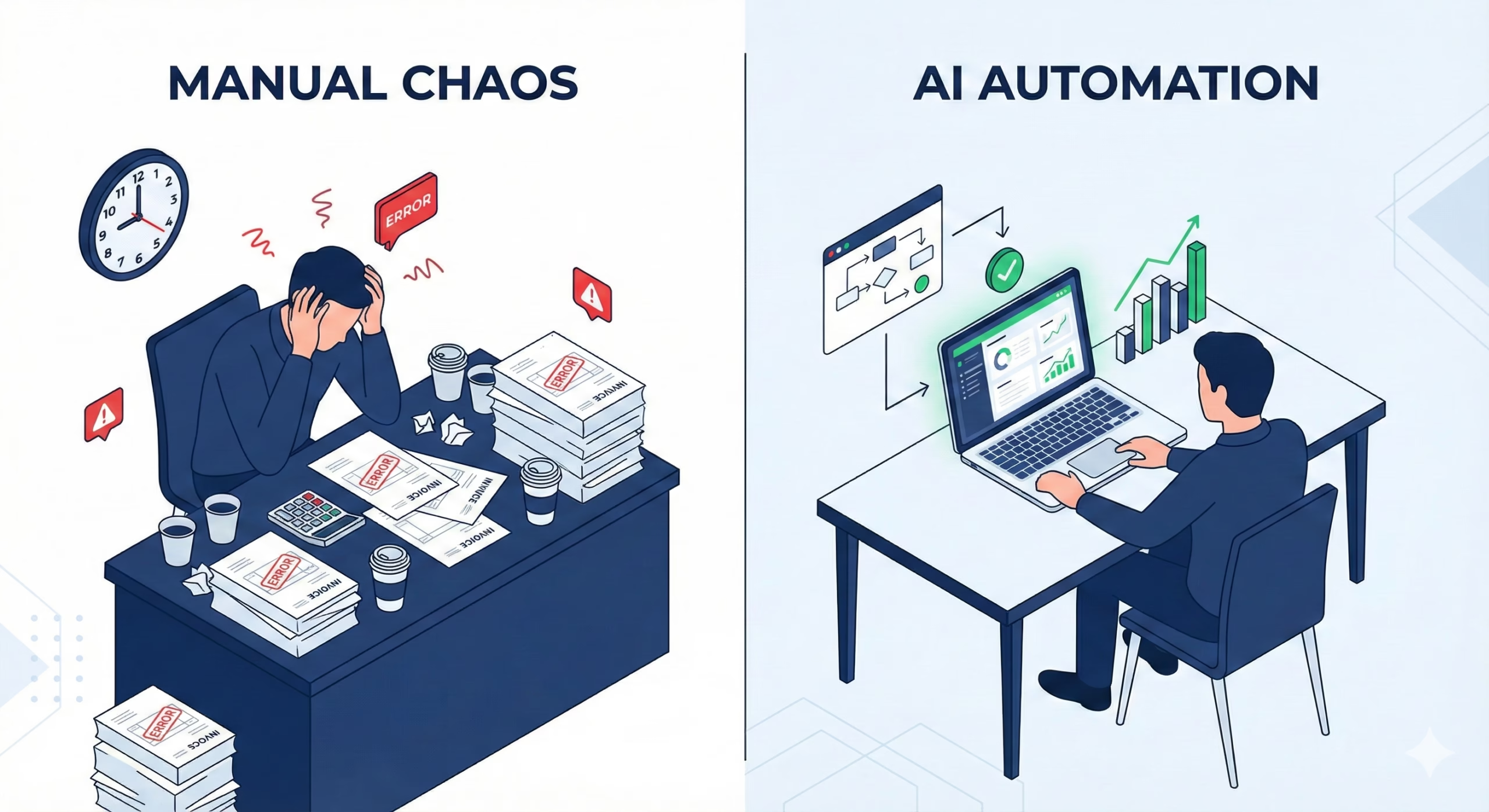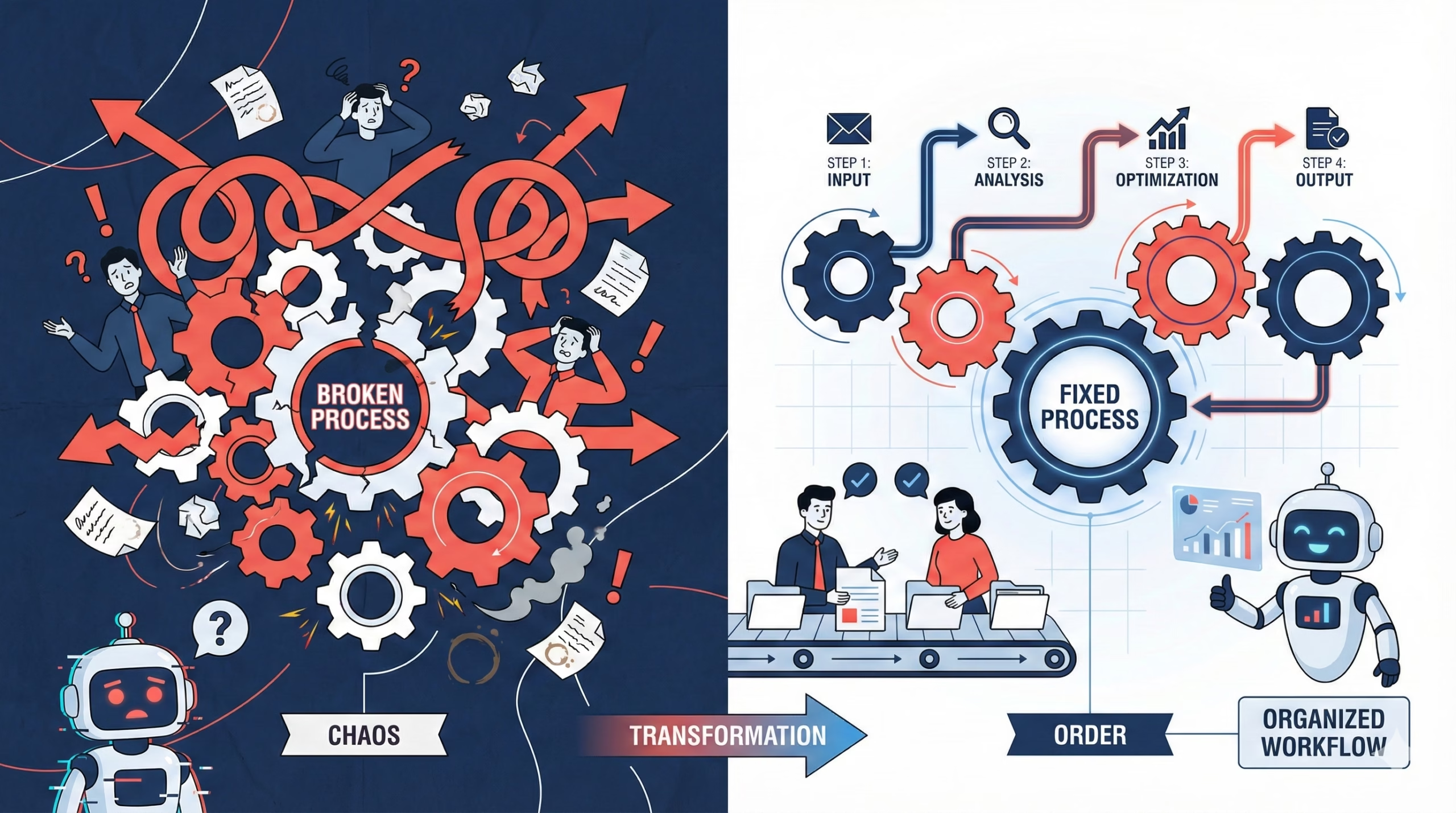
The AI agent revolution promised to automate everything. Yet companies are discovering a painful truth: 90% of AI agent deployments fail before they deliver business value.
The culprit isn’t what you think.
It’s not the LLM’s intelligence. It’s not the model size. It’s not even the training data.
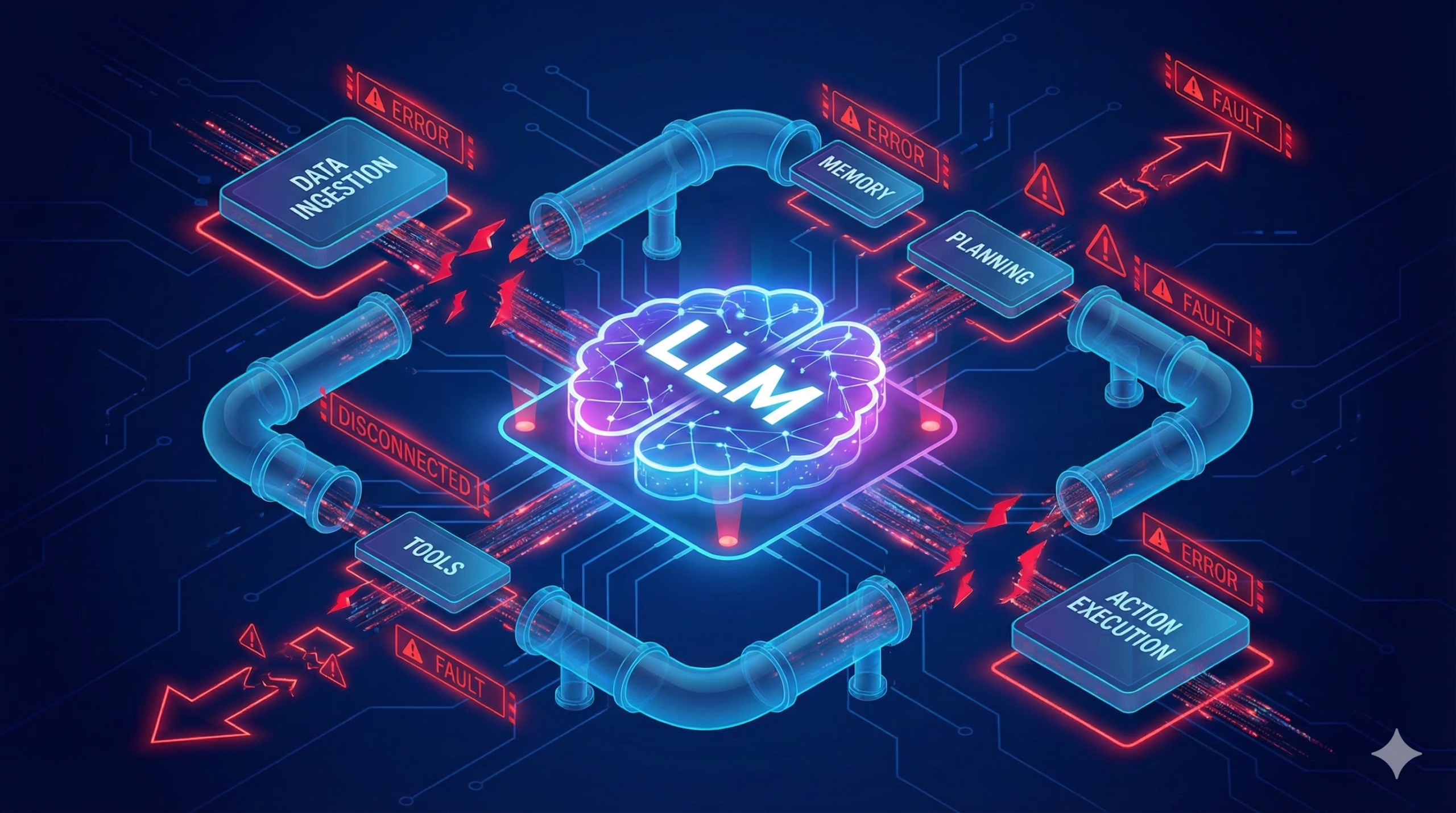
The real bottleneck is everything that happens around the LLM.
What Is an AI Agent (and Why Production Is Different)
An AI agent is a system that uses a Large Language Model to make decisions, take actions, and complete tasks autonomously. Unlike a simple chatbot, agents:
- Call external APIs and tools
- Make multi-step decisions
- Handle errors and edge cases
- Maintain context across interactions
- Execute workflows that change business state
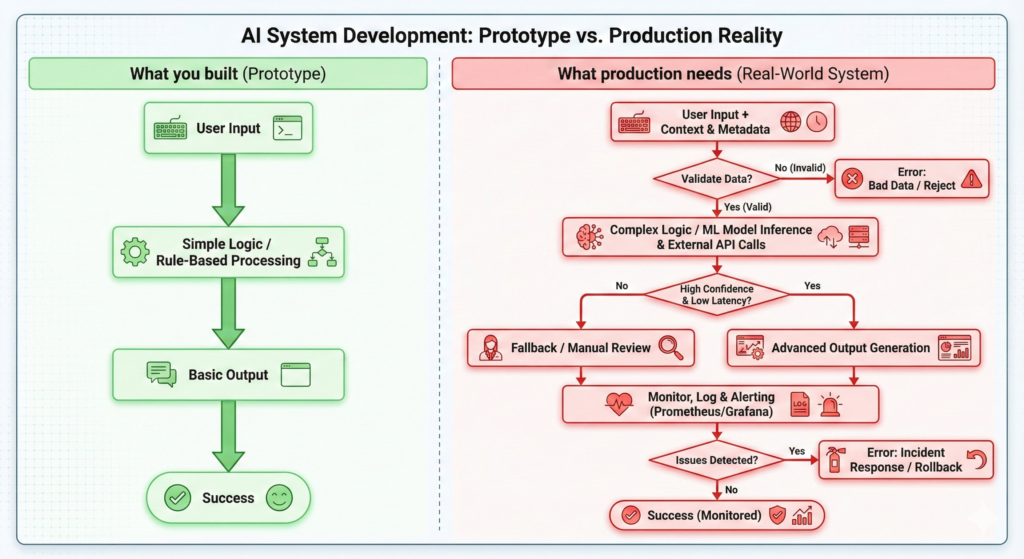
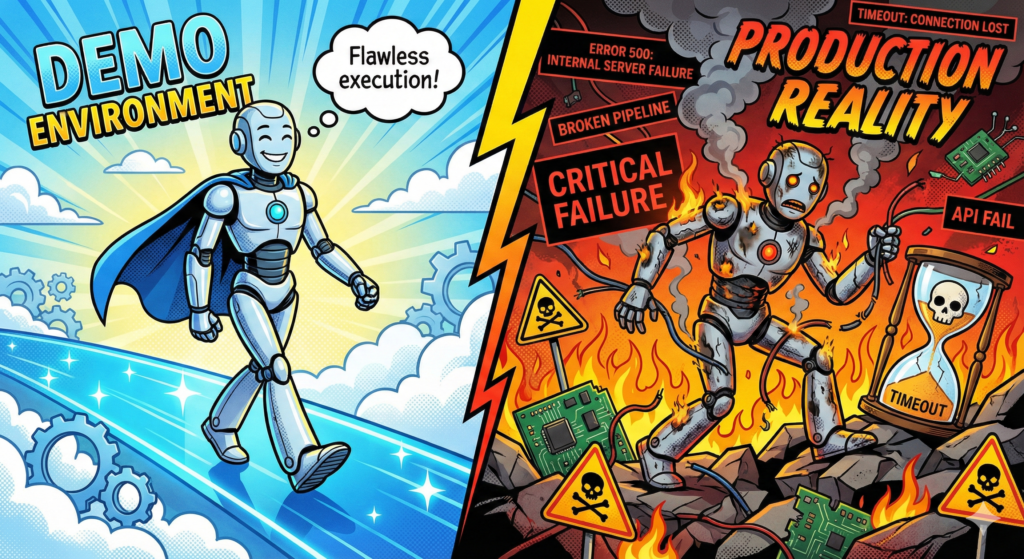
In development, agents work. In production, they break.
The difference? Production exposes the workflow logic gaps that demos hide.
The Three Hidden Killers of AI Agents
1. Undefined Business Logic
Problem: The LLM doesn’t know your business rules.
When you tell an agent to “process the refund,” it doesn’t inherently understand:
- Refunds require manager approval over $500
- International refunds need currency conversion
- Refunds can’t exceed 90 days from purchase
- Partial refunds require inventory checks
The Failure Mode: The agent processes a $2,000 international refund instantly, bypassing all approval workflows. Finance discovers the error three days later. Customer service blames “AI going rogue.”
The Fix: Define business logic explicitly before building the agent. Map every decision point. Document every exception. The LLM executes workflows—you design them.
2. Catastrophic Error Handling
Problem: Production systems fail constantly. AI agents don’t know how to recover.
Real production scenarios that demo agents can’t handle:
- API timeouts after 3 seconds
- Rate limit errors (429 responses)
- Partial data returns
- Network failures mid-workflow
- Concurrent user conflicts
- Downstream service outages
The Failure Mode: Your agent starts processing 50 orders. The payment API times out on order 23. The agent:
- Doesn’t retry
- Doesn’t log which orders succeeded
- Doesn’t notify anyone
- Silently fails
- Leaves 27 orders in limbo
The Fix: Build error handling first, features second. Every agent action needs:
- Retry logic with exponential backoff
- Fallback behaviors
- Transaction rollback capabilities
- Dead letter queues for failed tasks
- Comprehensive logging and alerting
3. Integration Hell
Problem: LLMs don’t speak API.
Your agent needs to:
- Authenticate to multiple systems
- Parse inconsistent API responses
- Handle rate limits across services
- Maintain stateful sessions
- Deal with legacy SOAP endpoints
- Navigate OAuth flows
- Process webhooks
- Queue background jobs
The Failure Mode: Your “simple” customer support agent actually needs to integrate with:
- CRM (for customer history)
- Ticketing system (for case creation)
- Knowledge base (for documentation)
- Payment processor (for refunds)
- Shipping API (for tracking)
- Inventory system (for availability)
- Email service (for notifications)
Each integration point is a failure risk. Each API change breaks your agent.
The Fix: Abstract integrations behind a unified interface. Build adapter layers. Version your API contracts. Test integration failures explicitly.
The Anatomy of Production-Ready AI Agents
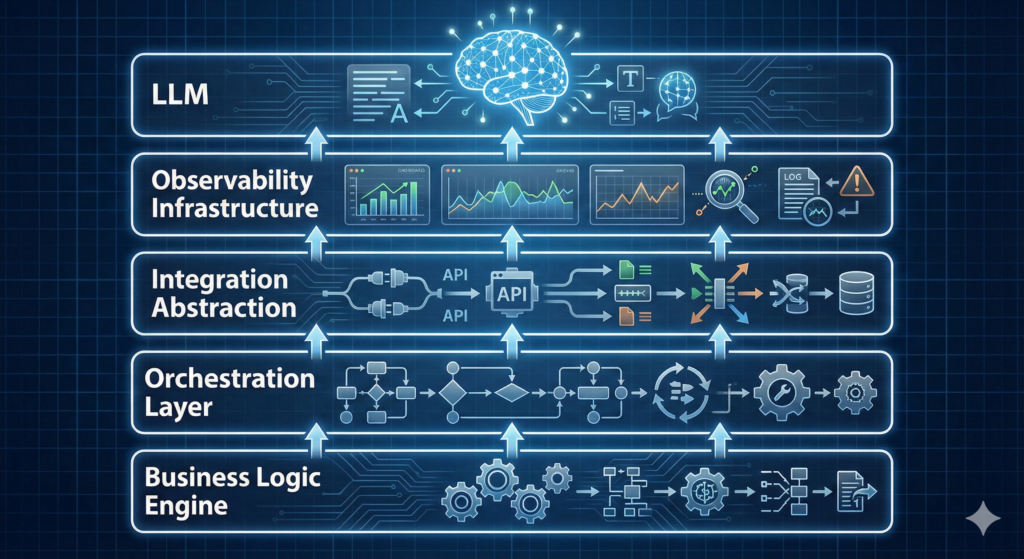
Successful AI agents share a common architecture that addresses these bottlenecks:
Layer 1: Business Logic Engine
Define workflows as code. Use state machines. Make rules explicit. The LLM interprets intent; the business logic enforces constraints.
Layer 2: Orchestration Layer
Manage multi-step workflows. Handle task queuing. Coordinate asynchronous operations. Maintain workflow state across failures.
Layer 3: Integration Abstraction
Unified API clients with built-in retry logic, circuit breakers, and error normalization. When Salesforce changes their API, you update one adapter—not 50 agent prompts.
Layer 4: Observability Infrastructure
Real-time monitoring of agent decisions. Token usage tracking. Latency metrics per step. Error rate dashboards. Audit logs for compliance.
Layer 5: The LLM (Finally)
The LLM is the decision-making component, not the entire system. It operates within guardrails defined by the other four layers.
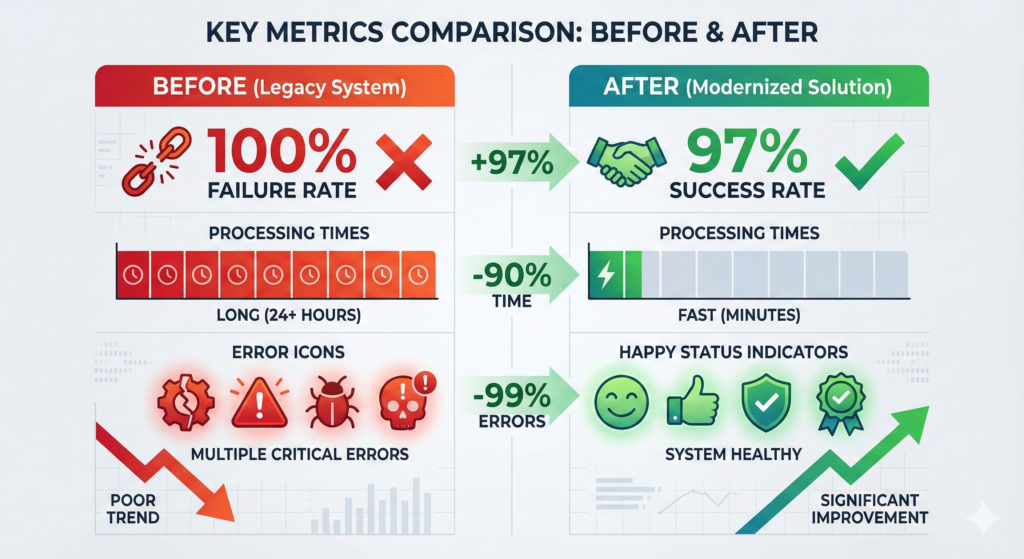
Case Study: From 100% Failure to 97% Success Rate
Industry: E-commerce Agent Purpose: Automate order modifications Initial Result: Complete failure within 48 hours
What Broke:
- Agent approved inventory changes without checking stock levels
- Concurrent requests created race conditions
- Third-party shipping API timeouts left orders in inconsistent states
- No rollback mechanism when payment processing failed
What We Fixed:
Business Logic:
- Implemented inventory reservation system
- Added approval thresholds ($0-50: auto, $50-500: supervisor, $500+: manager)
- Created transaction boundaries for multi-step operations
Error Handling:
- Retry logic with exponential backoff (3 attempts, 1s/2s/4s delays)
- Compensation transactions for partial failures
- Dead letter queue for manual review
- Customer notification system for failures
Integration:
- Built unified inventory API wrapping 3 backend systems
- Implemented circuit breakers (fail fast after 5 consecutive errors)
- Added request deduplication (prevent duplicate charges)
Result:
- 97% task completion rate
- Average resolution time: 23 seconds (vs. 4 minutes manual)
- Zero customer-impacting errors in 6 months
- Saved 40 hours/week of manual work
The 5-Step Pre-Flight Checklist for AI Agents
Before deploying any AI agent to production, verify:
1. Business Logic Is Explicit
- All decision rules documented
- Edge cases defined
- Approval workflows mapped
- Constraint validation implemented
2. Error Scenarios Are Tested
- API timeout handling
- Rate limit responses
- Partial failure recovery
- Network interruption scenarios
- Concurrent request conflicts
3. Integrations Are Resilient
- Retry logic configured
- Circuit breakers active
- Fallback behaviors defined
- API versioning strategy in place
4. Observability Is Comprehensive
- Decision logging enabled
- Performance metrics tracked
- Error alerting configured
- Audit trail for compliance
5. Rollback Plan Exists
- Manual override capability
- Transaction compensation logic
- Data consistency verification
- Incident response procedure
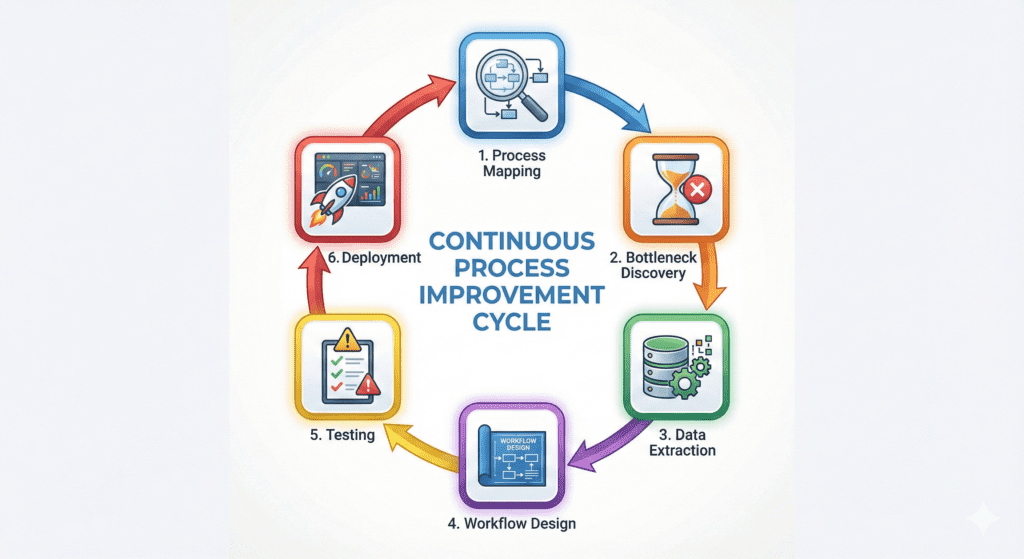
The Bottleneck Resolution Framework
When your AI agent fails in production, debug in this order:
Step 1: Process Mapping Map what the agent actually does, not what you think it does. Identify every external dependency.
Step 2: Bottleneck Discovery Where does the workflow wait? Where does it fail? Use distributed tracing to find the weak links.
Step 3: Data & Logic Extraction What business rules are implicit in manual processes? Document them explicitly.
Step 4: Agent/Workflow Design Design the workflow with failure in mind. Every step should have success, failure, and timeout paths.
Step 5: Testing for Edge Cases Test the unhappy paths. Disconnect APIs mid-flight. Send malformed data. Simulate concurrent users.
Step 6: Deployment + Monitoring Deploy with feature flags. Monitor continuously. Roll back immediately when error rates spike.
Tools Don’t Solve Problems—Understanding Does
99% of failed AI projects skip steps 1-3 of the framework above.
They jump straight to tools:
- “Should we use LangChain or AutoGPT?”
- “Which vector database is best?”
- “Do we need fine-tuning?”
Wrong questions.
The right questions:
- What manual process are we automating?
- Where does that process break today?
- What business rules govern decisions?
- How do humans handle exceptions?
- What are acceptable failure modes?
Tools execute solutions. Understanding defines them.
The Economic Reality of Production AI
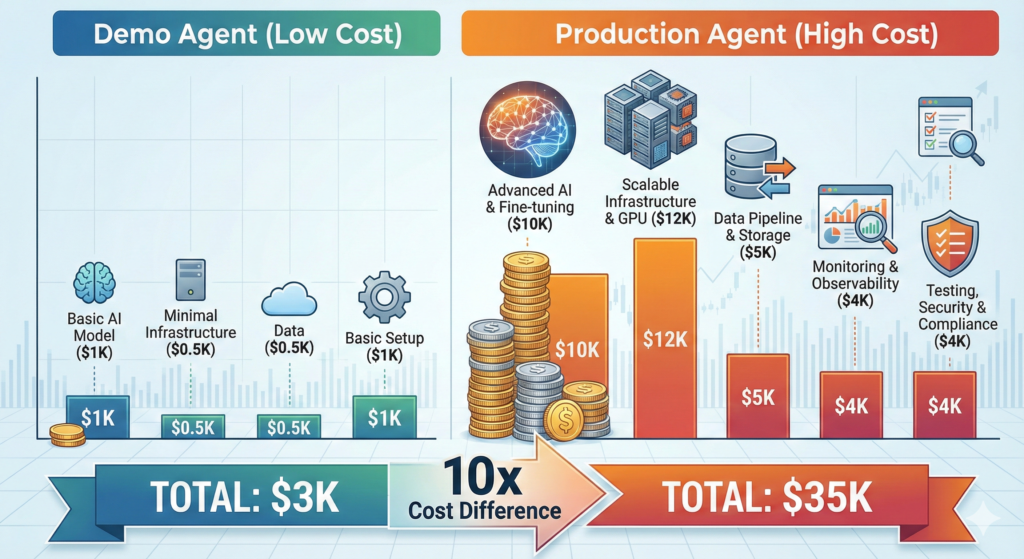
Cost of Demo AI Agent:
- Development: 40 hours
- LLM API costs: $50/month
- Infrastructure: $0 (local testing)
- Total: ~$3,000
Cost of Production AI Agent:
- Development: 200 hours (workflow logic, error handling, integrations)
- LLM API costs: $500/month
- Infrastructure: $300/month (queues, databases, monitoring)
- Testing & QA: 80 hours
- Maintenance: 20 hours/month
- Total first year: ~$35,000
The 10x cost difference isn’t waste—it’s the price of reliability.
Demos prove concepts. Production systems deliver value.
Common Myths About AI Agent Failures
Myth 1: “We need a better LLM”
Reality: GPT-4 vs GPT-3.5 won’t fix undefined business logic or missing error handling.
Myth 2: “Fine-tuning will solve it”
Reality: Fine-tuning optimizes responses. It doesn’t teach your agent how to handle API timeouts.
Myth 3: “We need more training data”
Reality: The bottleneck is workflow orchestration, not model intelligence.
Myth 4: “AI agents should be fully autonomous”
Reality: Production agents need human oversight for edge cases and critical decisions.
Myth 5: “More prompting will fix it”
Reality: Prompt engineering doesn’t replace systems engineering.
The Path Forward: Building Agents That Work
Successful AI agent deployment follows this sequence:
Phase 1: Process Clarity (Weeks 1-2) Map existing workflows. Document decision logic. Identify automation candidates.
Phase 2: Controlled Scope (Weeks 3-4) Build one workflow end-to-end. Handle errors explicitly. Test failure modes.
Phase 3: Integration Hardening (Weeks 5-6) Abstract API calls. Implement retry logic. Add circuit breakers.
Phase 4: Observability (Week 7) Deploy monitoring. Track metrics. Establish alerting.
Phase 5: Gradual Rollout (Week 8+) Shadow mode → Assisted mode → Autonomous mode. Expand scope incrementally.
The Bottom Line
AI agents fail in production because we treat them like magic instead of software.
They’re not magic. They’re distributed systems that happen to use LLMs for decision-making.
And distributed systems require:
- Explicit business logic
- Robust error handling
- Resilient integrations
- Comprehensive monitoring
- Thoughtful architecture
The LLM is the easy part. Everything else is the hard part.
If you’re running a business and operations feel heavy, start with this question:
“What is my team touching manually that doesn’t require judgment?”
Then build the workflow logic that handles it.
Then add the LLM.
In that order.
Because the real bottleneck was never the AI—it was the engineering around it.
Key Takeaways
- 90% of AI agents fail due to workflow logic gaps, not LLM limitations
- Production requires explicit business rules, error handling, and integration resilience
- Successful agents use LLMs for decisions within engineered guardrails
- The cost difference between demo and production agents is 10x—and necessary
- Start with process mapping and business logic before choosing tools
- Test error scenarios explicitly—timeouts, rate limits, partial failures
- Build observability first, features second
- Deploy gradually with human oversight for critical decisions
Next Steps
If you’re experiencing AI agent failures in production, audit these three areas first:
- Business Logic: Are all decision rules explicit and coded?
- Error Handling: What happens when integrations fail?
- Integration Architecture: Are APIs abstracted and resilient?
Fix these bottlenecks, and your LLM will finally deliver on its promise.
Want an ROI breakdown for automating workflows in your business? The bottleneck isn’t AI adoption—it’s understanding which processes are ready for automation and which need human judgment.